
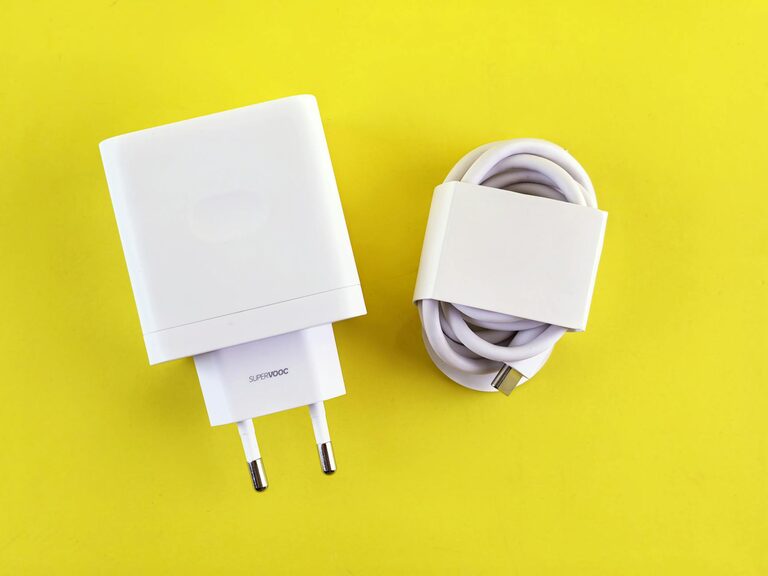
Setting up a dedicated charging station for your devices can simplify your daily routine and reduce clutter. Whether you have smartphones, tablets, smartwatches, or other gadgets, a well-planned charging area helps keep everything organized and ready to go. In this guide, we’ll walk you through the steps to create an effective and stylish charging station in your home or office.
Why Create a Charging Station?
With the growing number of portable devices we use daily, charging cables and adapters can quickly create a tangled mess. A charging station centralizes the power supply and accessories, saving space and making it easy to monitor what’s charging and what isn’t. It’s also a great way to protect devices from being left in random places or even forgotten to be charged.
Step 1: Choose the Right Location
The first step is to pick a convenient and accessible location for your charging station. Consider these factors:
– Proximity to Power Outlets: Choose a spot near existing power sources to avoid the use of extension cords.
– Visibility: A visible location encourages regular use and helps everyone in the household know where to plug in.
– Surface Area: The station will need enough surface for devices and chargers, such as a desk, countertop, or shelf.
– Ventilation: Ensure the area has good airflow to prevent devices from overheating while charging.
Popular spots include entryway tables, kitchen counters, bedrooms, or office desks.
Step 2: Gather Your Materials and Equipment
Once you have a location, gather the necessary items:
– Charging Hub or Power Strip: Look for a power strip with multiple USB ports to reduce the number of bulky adapters.
– Cable Organizers: Use clips, sleeves, or cable boxes to keep cords tangle-free.
– Device Holders or Stands: These keep devices upright and prevent slipping or scratching.
– Labeling Supplies: Small labels can help family members identify which cable fits their devices.
– Decorative Elements (Optional): Adding trays, mats, or baskets can improve aesthetics and contain the setup.
Step 3: Prepare the Area
Before setting up your station, clear the selected surface and clean it thoroughly. This gives you a blank slate and ensures the best arrangement. If you plan to mount any equipment, measure and prepare the space accordingly.
Step 4: Organize Your Cables
Cable management is crucial for a tidy charging station. Here are some strategies:
– Use a Charging Dock or Multi-Port Charger: This reduces the number of cords plug into the wall.
– Shorten Excess Cable Lengths: Wrap or coil longer cables and secure them with ties or Velcro straps.
– Label Each Cable: Identify which cable belongs to which device to make grabbing the correct one quick and easy.
– Use Cable Clips or Holders: Attach these to the edge of the table or inside drawers to keep cables from sliding off.
Step 5: Arrange Your Devices
Place your device holders or stands on the station to create designated spots for each gadget. This helps prevent overcrowding and ensures cables connect smoothly to their respective items. Keep heavier or less frequently used devices at the back and prioritize daily-use items in front.
Step 6: Keep Accessories Nearby
Consider keeping small accessories like extra charging adapters, portable batteries, or earbuds in a nearby organizer or drawer. This keeps the station clutter-free but still convenient for when extras are needed.
Step 7: Maintain Your Charging Station
To keep your charging station functional and inviting:
– Regularly Dust and Clean: Remove dust and wipe surfaces to prevent dirt build-up.
– Rotate Cables and Chargers: Occasionally check cords for wear and replace them if damaged.
– Adjust as Needed: As you add or remove devices, reorganize accordingly.
– Avoid Overloading: Make sure your power strip matches your device charging needs to avoid electrical hazards.
Bonus Tips
– Use Wireless Chargers: If your devices support wireless charging, integrate a wireless pad into your station for a cable-free experience.
– Add Lighting: Soft LED lights can make the station easier to use at night.
– Personalize the Space: Use colors, stickers, or decorative boxes to match your home style.
Conclusion
Creating a dedicated charging station is an easy and effective way to manage your devices and cables while adding order to your space. By choosing a good location, organizing cables, and arranging your devices thoughtfully, you’ll enjoy a clutter-free, efficient spot that keeps your gadgets powered up and ready. With a little planning and effort, your charging station will become a reliable part of your daily routine.
Happy charging!